Projects

April 2026

Deptrace

A CLI that tells you where a JS/TS dependency is used before you delete it. Live on npm.

Visit source
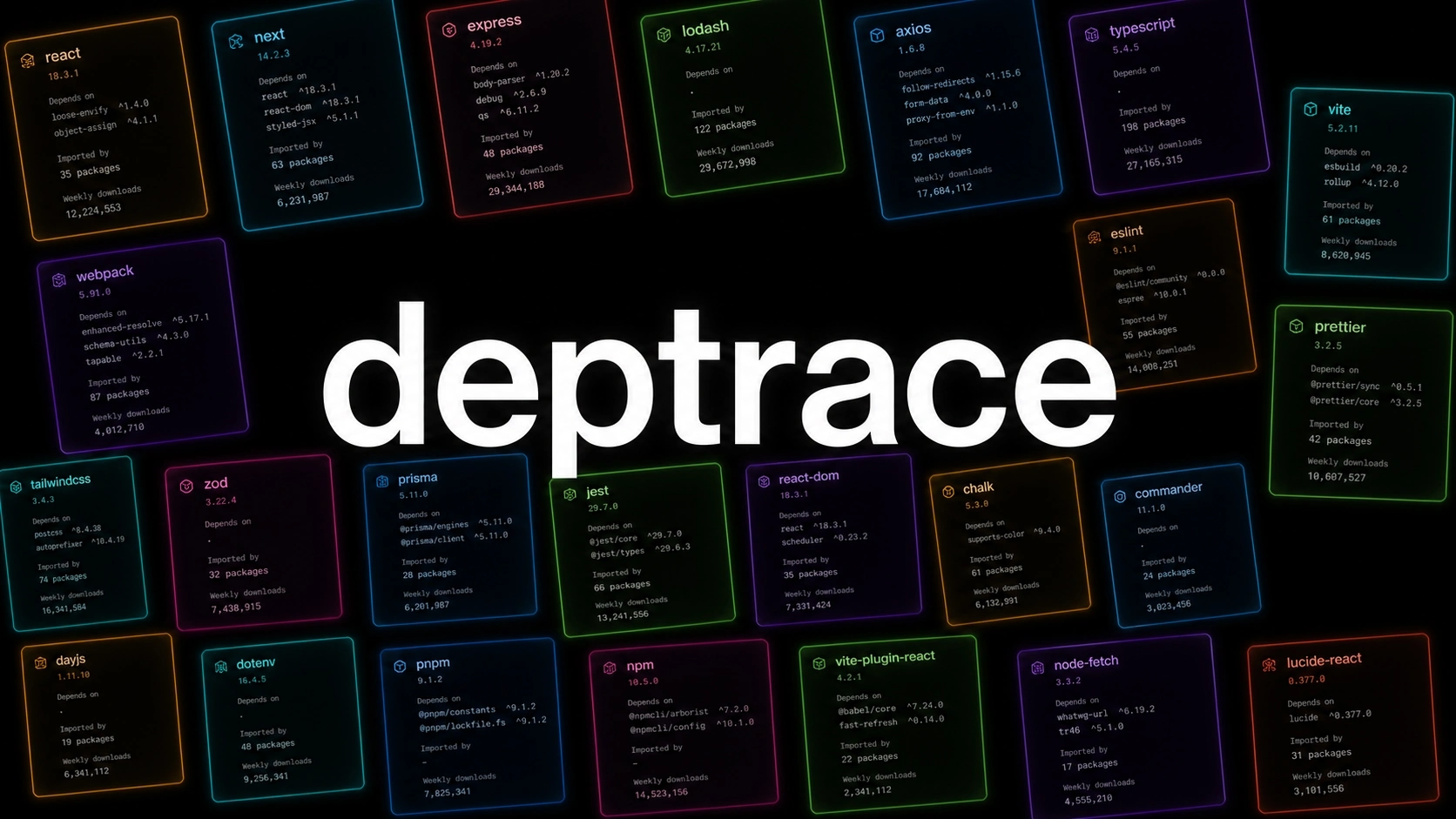
Deptrace preview hero image

Every JavaScript project eventually has that one dependency you stare at and wonder, "where the hell is this being used?"

Package managers can tell you why something is installed. Lockfiles can tell you how it got resolved. Finding where your code uses it is still manual. You search the package name. You miss a subpath import. You forget about scripts and config files. You ignore type-only imports. You remove the thing. You break the build.

I wanted a tool that shows me all of those places first.

What it does

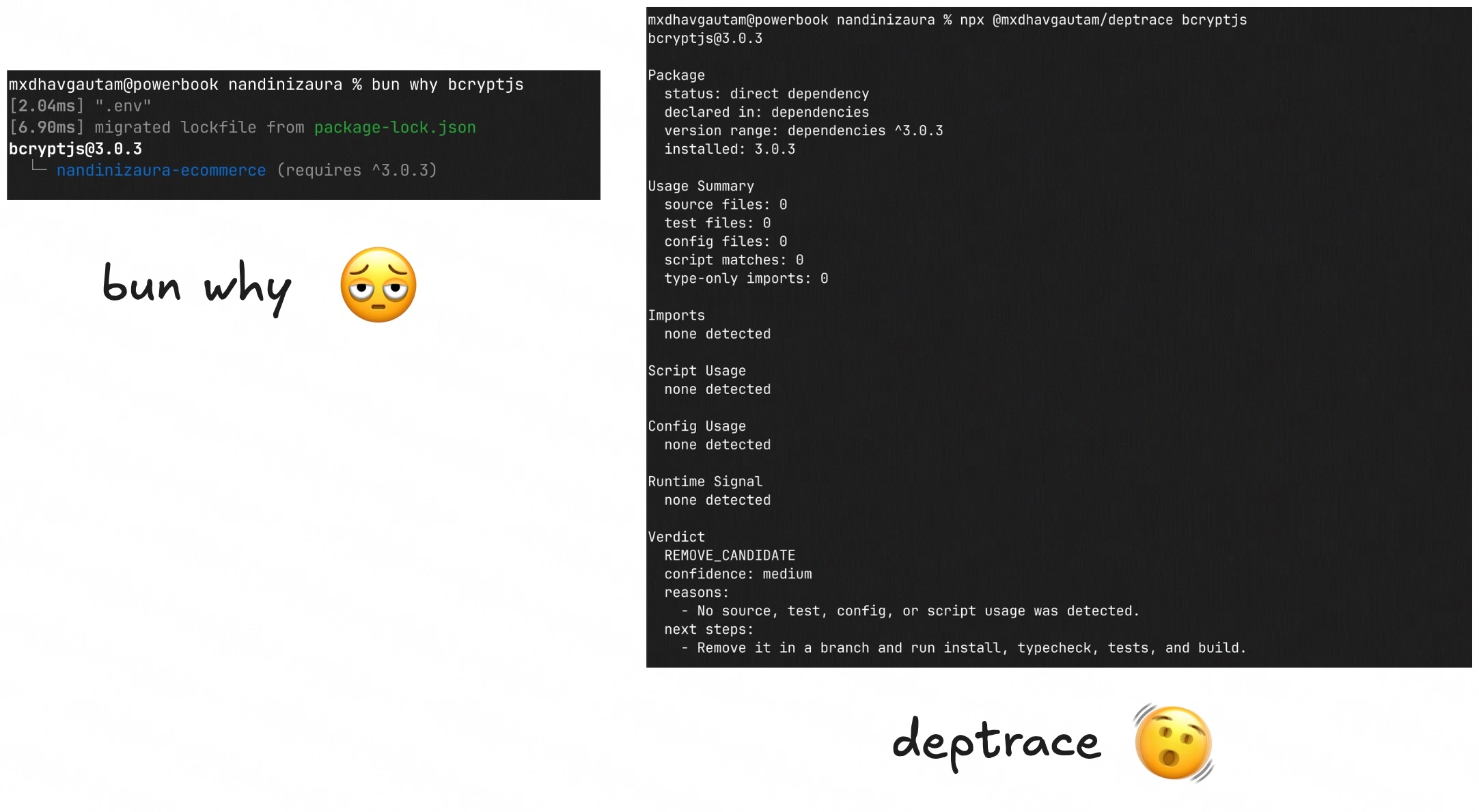
deptrace is a Node CLI that shows where a JavaScript or TypeScript project uses a dependency. You run:

npx @mxdhavgautam/deptrace <package-name> --cwd /path/to/project

The report covers:

  • which package.json section declares the package
  • installed package metadata from node_modules
  • source imports, requires, re-exports, dynamic string imports and type-only imports
  • script usage, including the package's binary names
  • config file matches, each with a confidence level
  • runtime hints, such as browser or client usage
  • a cautious verdict, one of KEEP, REMOVE_CANDIDATE, MOVE_TO_DEV_CANDIDATE, REPLACE_OR_SHRINK or INSPECT

There's also a --json flag, so other tools can read the report too.
deptrace.webp

No overconfidence

I was most careful about one thing. The tool must not pretend to know more than it does.

An overconfident cleanup tool breaks builds, so deptrace is conservative. It doesn't claim to find every unused dependency in your project. It explains one dependency, in one JS/TS package root, from local evidence, and suggests a cautious next step.

You don't get "delete this". You get "here's the evidence, your move".

The scanner

deptrace is written in TypeScript, with Commander, Babel Parser, fast-glob, YAML, Vitest and tsup.

The scanner normalizes package subpaths and handles scoped packages. It classifies each file as source, test, config or declaration. It parses import forms from the AST, scans scripts without dumb substring matching, checks config files, and reads installed package metadata. All of that feeds the verdict.

The tests cover the annoying cases that usually make this kind of tool lie:

  • scoped package subpaths
  • type-only imports
  • declaration files
  • config imports
  • script binary usage
  • lockfile-only packages
  • hoisted workspace installs
  • duplicate declarations
  • peer and optional dependencies
  • dynamic or computed imports, which get a diagnostic instead of false certainty

If the tool doesn't know, it says so.

deptrace is small, and it's how I like to build. Pick a narrow problem, show the evidence, and don't pretend automation means certainty. It isn't a magic dependency janitor. It points at the files before you delete something important.

The package is on npm and the source is on GitHub.

Projects

April 2026

Deptrace

A CLI that tells you where a JS/TS dependency is used before you delete it. Live on npm.

Visit source
Deptrace preview hero image

Every JavaScript project eventually has that one dependency you stare at and wonder, "where the hell is this being used?"

Package managers can tell you why something is installed. Lockfiles can tell you how it got resolved. Finding where your code uses it is still manual. You search the package name. You miss a subpath import. You forget about scripts and config files. You ignore type-only imports. You remove the thing. You break the build.

I wanted a tool that shows me all of those places first.

What it does

deptrace is a Node CLI that shows where a JavaScript or TypeScript project uses a dependency. You run:

npx @mxdhavgautam/deptrace <package-name> --cwd /path/to/project

The report covers:

  • which package.json section declares the package
  • installed package metadata from node_modules
  • source imports, requires, re-exports, dynamic string imports and type-only imports
  • script usage, including the package's binary names
  • config file matches, each with a confidence level
  • runtime hints, such as browser or client usage
  • a cautious verdict, one of KEEP, REMOVE_CANDIDATE, MOVE_TO_DEV_CANDIDATE, REPLACE_OR_SHRINK or INSPECT

There's also a --json flag, so other tools can read the report too.

deptrace.webp

No overconfidence

I was most careful about one thing. The tool must not pretend to know more than it does.

An overconfident cleanup tool breaks builds, so deptrace is conservative. It doesn't claim to find every unused dependency in your project. It explains one dependency, in one JS/TS package root, from local evidence, and suggests a cautious next step.

You don't get "delete this". You get "here's the evidence, your move".

The scanner

deptrace is written in TypeScript, with Commander, Babel Parser, fast-glob, YAML, Vitest and tsup.

The scanner normalizes package subpaths and handles scoped packages. It classifies each file as source, test, config or declaration. It parses import forms from the AST, scans scripts without dumb substring matching, checks config files, and reads installed package metadata. All of that feeds the verdict.

The tests cover the annoying cases that usually make this kind of tool lie:

  • scoped package subpaths
  • type-only imports
  • declaration files
  • config imports
  • script binary usage
  • lockfile-only packages
  • hoisted workspace installs
  • duplicate declarations
  • peer and optional dependencies
  • dynamic or computed imports, which get a diagnostic instead of false certainty

If the tool doesn't know, it says so.

deptrace is small, and it's how I like to build. Pick a narrow problem, show the evidence, and don't pretend automation means certainty. It isn't a magic dependency janitor. It points at the files before you delete something important.

The package is on npm and the source is on GitHub.